
Get your Logistics API key
To get your Logistics API key you need to log in with your account to Cabify Logistics and go to the Apps section. If you wish to generate API keys for our Sandbox staging environment you should go to the Cabify Logistics Sandbox page.
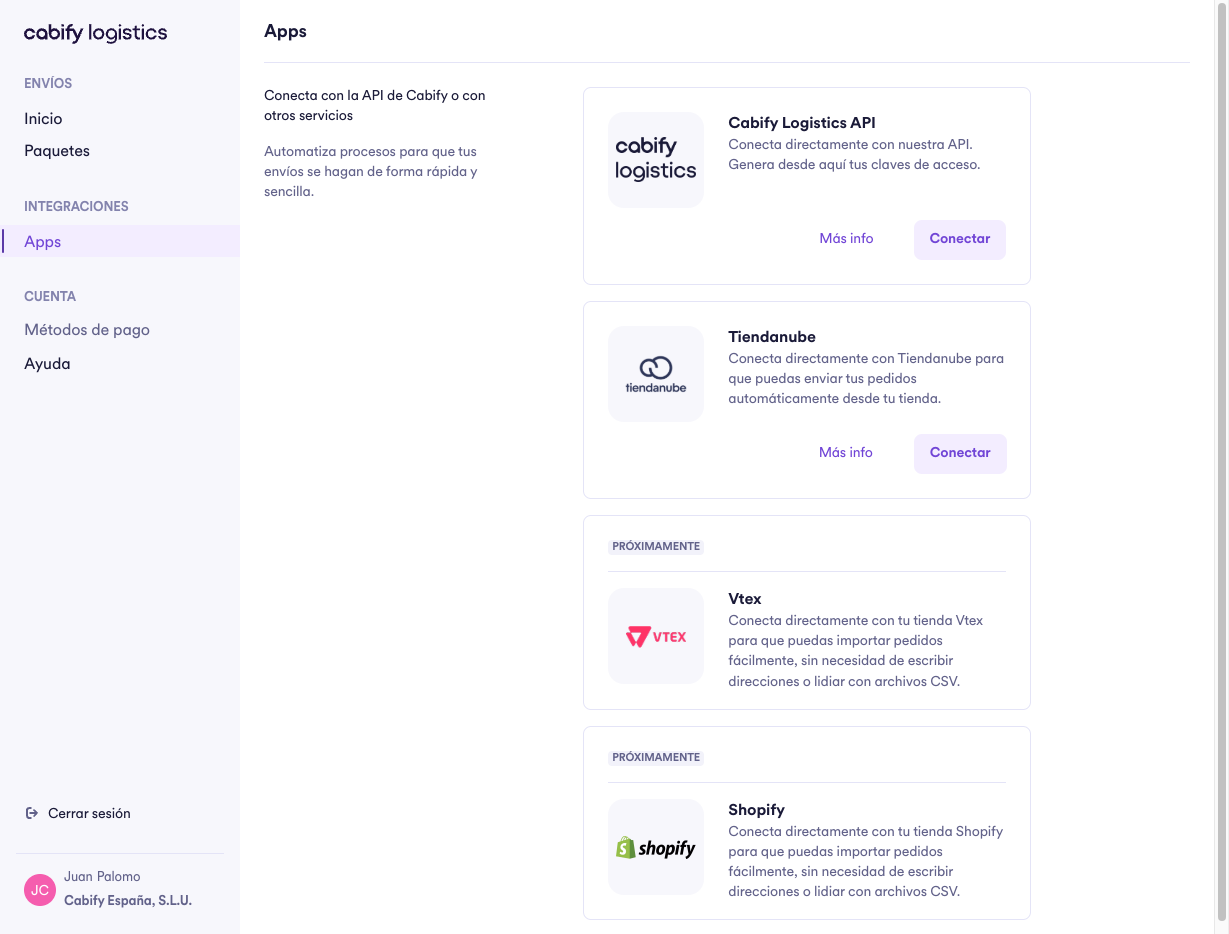
Then, you need to click on the "Conectar" button in the Cabify Logistics API card.
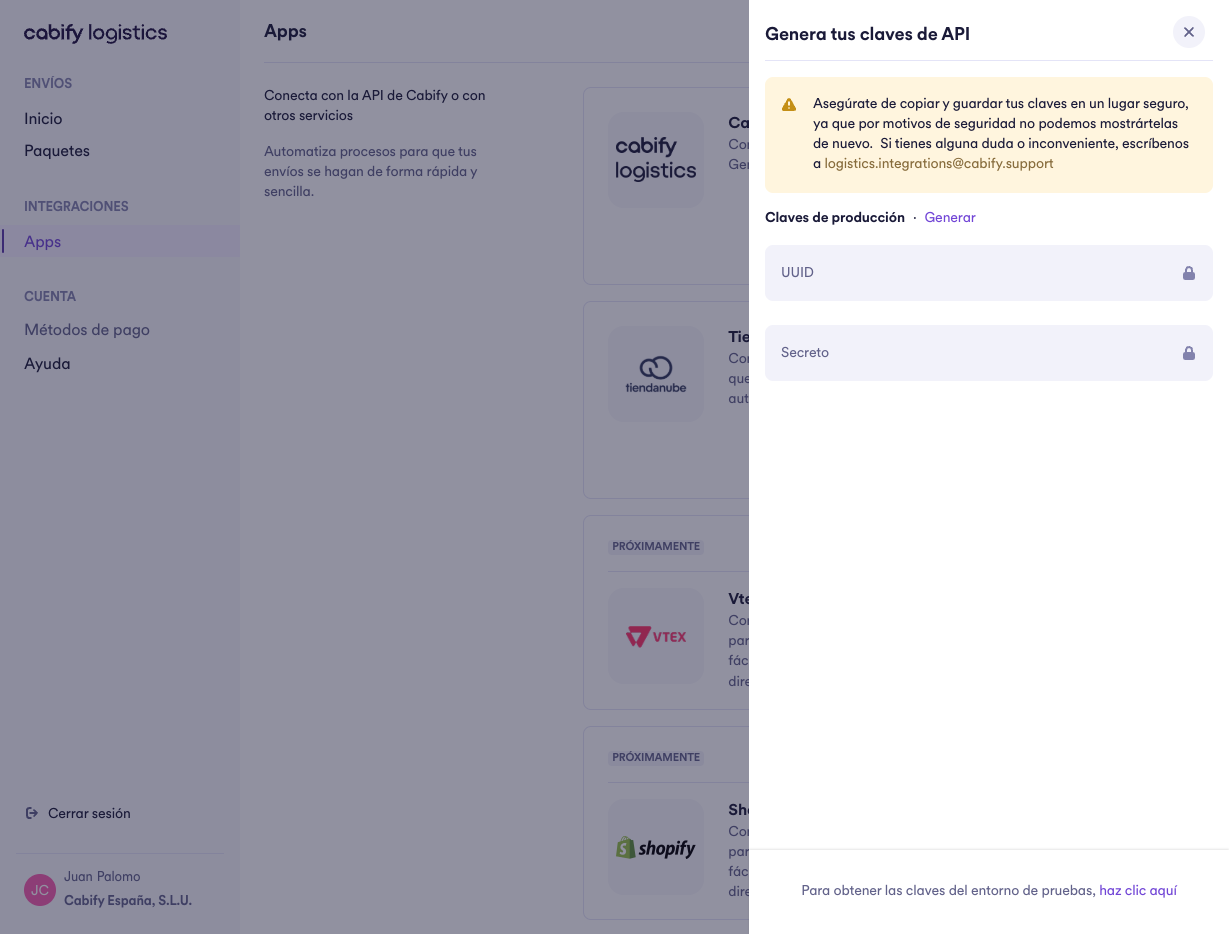
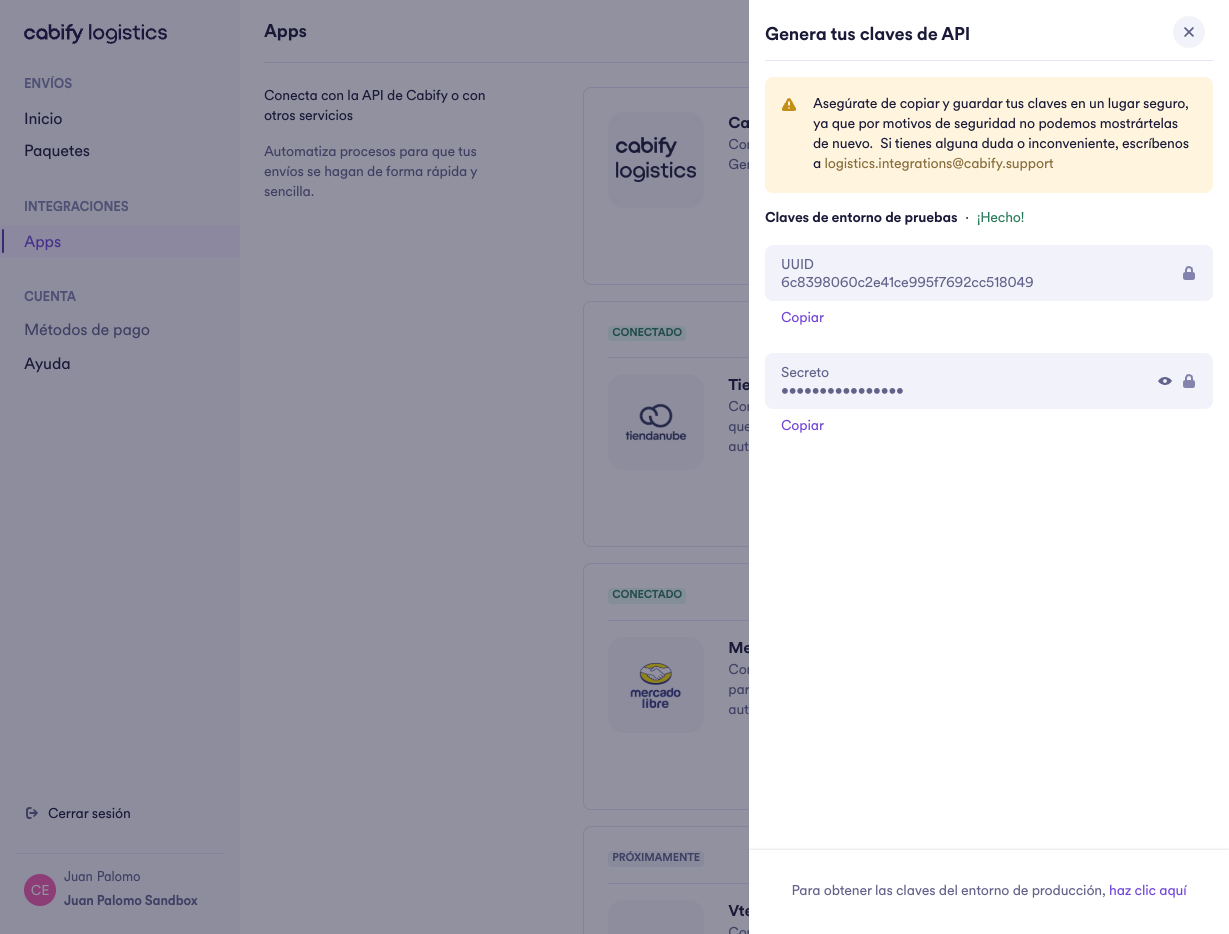
Then, you need to click on "Generar" to create the API Keys.
Storing API keysYour API keys will have the same access rights as an admin user in your company, so it's critical that they are stored securely. Do not share them in publicly accessible areas such as GitHub.
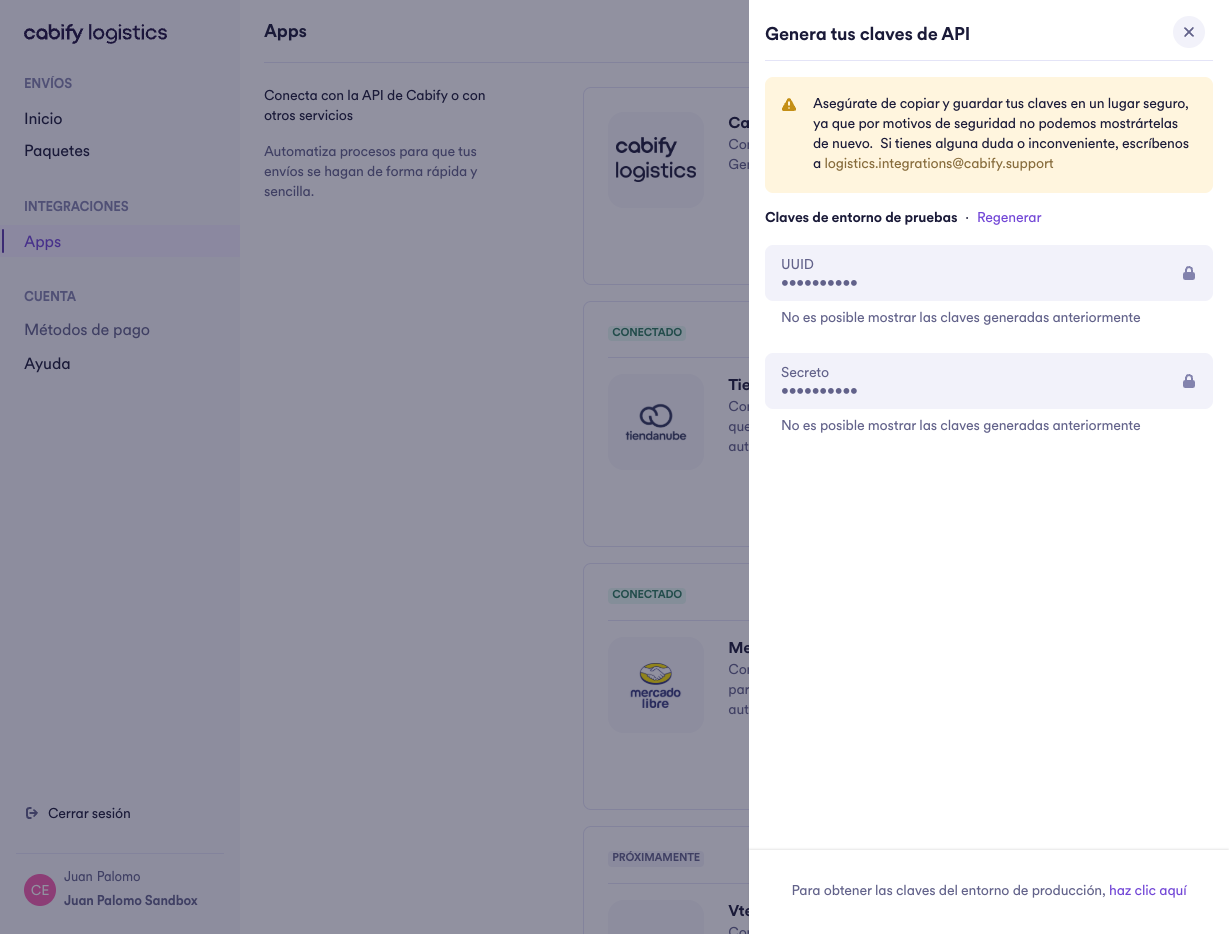
If you wish to regenerate the API Keys, you can click on the "Regenerar" button.
Regenerating API keysWhen you regenerate the API keys, the previous one gets invalidated. Make sure to update your credentials in your system before the last access token expires to avoid downtimes.
Updated about 1 year ago